


Thumbs-Up Display
A Clear Safe-to-Approach Communication for Safer Worksites
Miscommunication between machine operators and ground personnel can create unnecessary risk in busy construction, quarrying and mining environments.
Brigade’s complete Safe to Approach Kit combines the Thumbs-Up Display with AI 360 Human Form Recognition, MDR recording and external warning alarms to support safer communication and greater awareness around the vehicle.
Important Characteristics
AI camera systems with human form recognition are advanced driver aids designed to enhance visibility and safety. However, as with all vision systems performance can be affected by environmental conditions, obstructions, and other factors.
A Clear Signal for Safer Sites
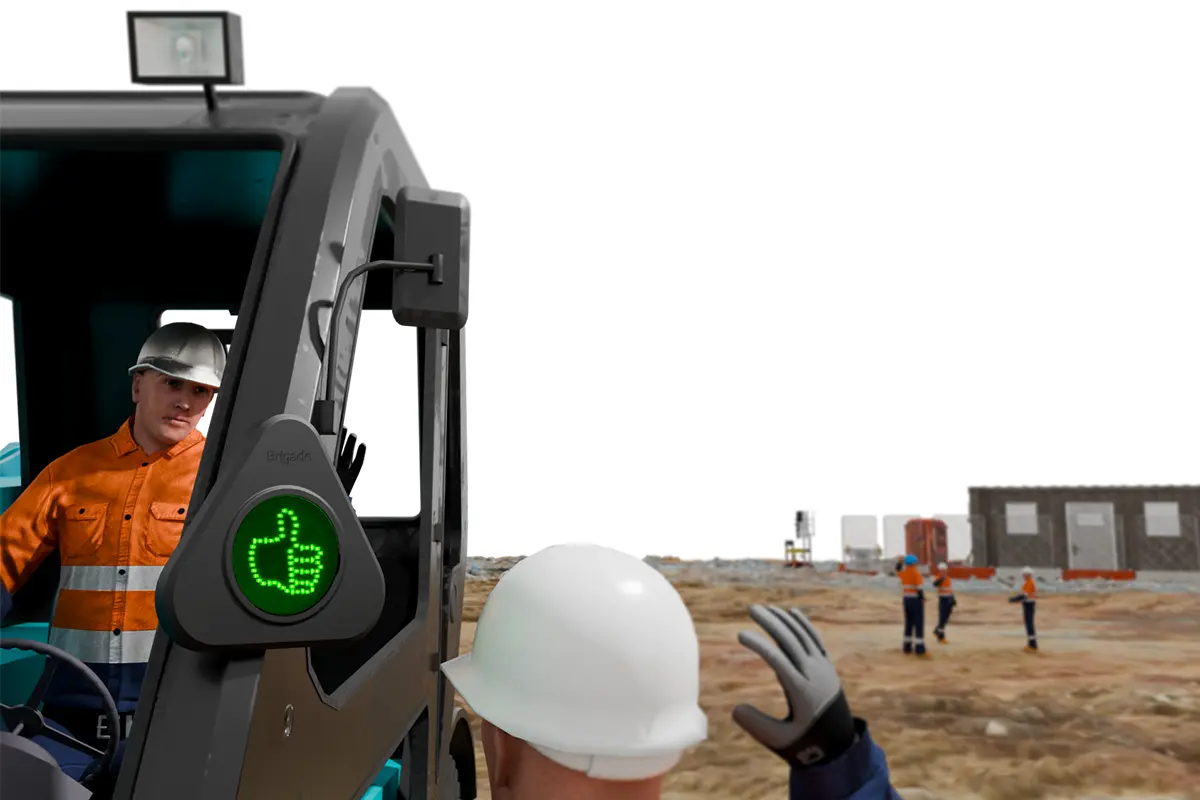
Interlocked for Safer Communication
360-degree AI cameras help operators identify people around the machine, while the Thumbs-Up Display provides a clear visual indication when it is safe to approach. The MDR records camera footage for later review, while external alarms provide an additional audible warning to personnel nearby.
Interlocked with the machine’s safety controls, the Thumbs-Up Display can only be activated when the vehicle is safely immobilised, helping reduce uncertainty and support safer site operations.
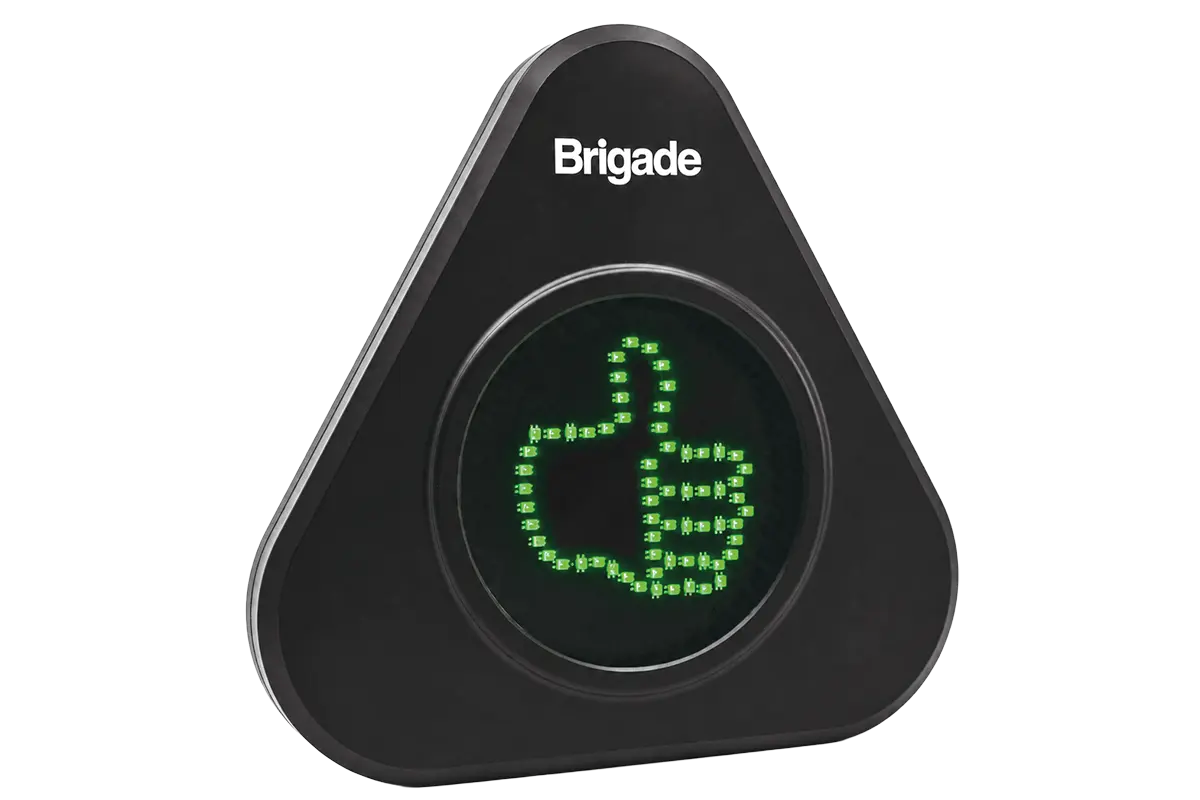
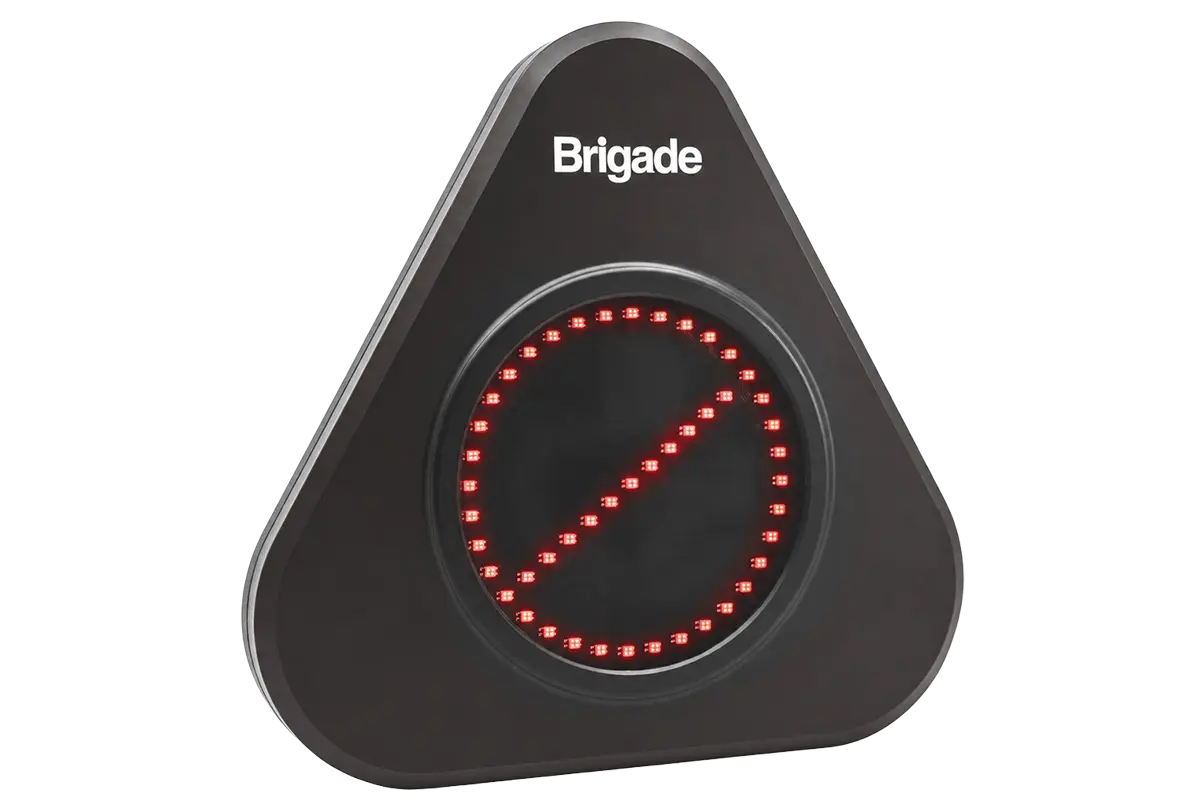
Interlocked for Safer Communication
Brigade Thumbs-Up Display
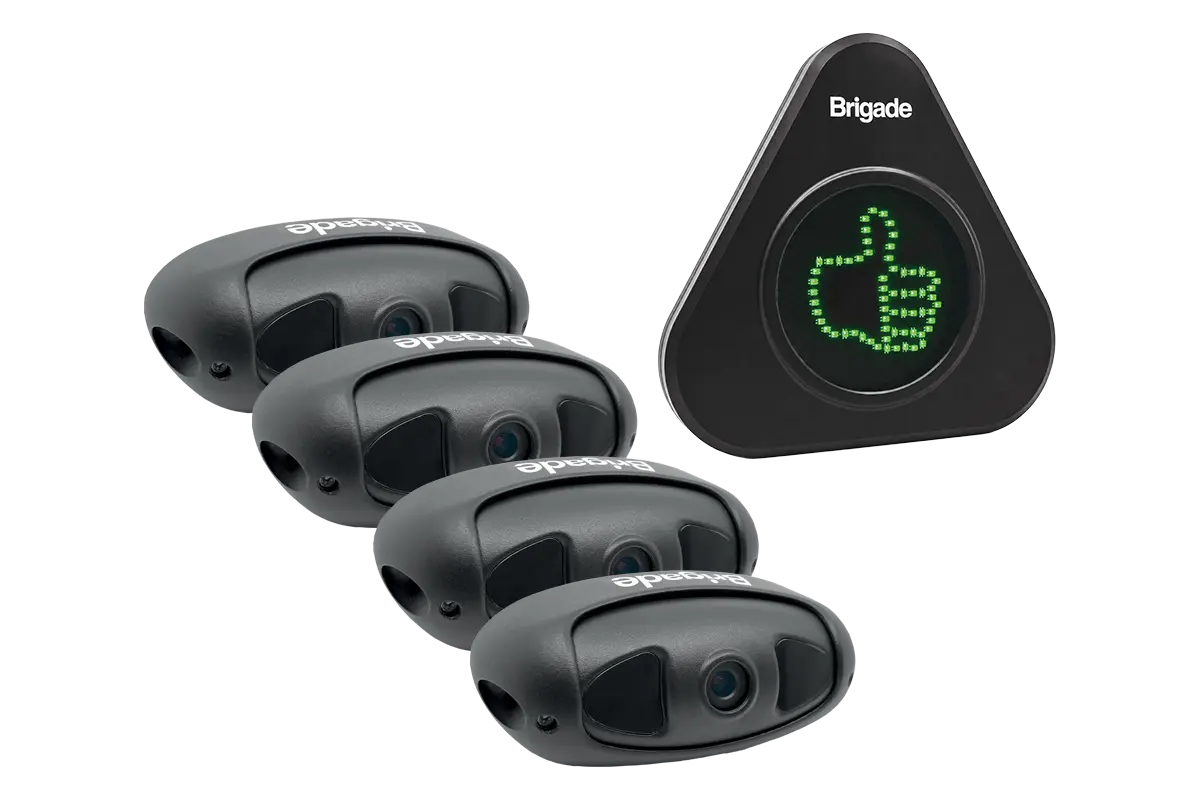
Complete Safe to Approach Kit
TBC
Part Number: TBC
Contents
- 1 x TU-001D – Thumbs-Up Display
- 1 x TU-001-ECU – Thumbs-Up Control Unit
- 4 x VBV-2230-C-AI cameras
- 1 x Mounting Bracket
- 1 x MDR Recorder
- 1 x SA-BBS-107 Reversing Alarm
Technical Specifications: Thumbs-Up Display
- Operating Voltage: 9–36Vdc
- Response Time:
40ms (typical) - Brightness: Up to 5,202cd/m²
- Display Protection: IP69K
- Operating Temperature:
-30°C to +70°C
Technical Specifications: Backeye®360 AI Camera
- Operating Voltage: 12–24Vdc
- 1080p AHD Resolution
- IP69K Cameras
- Operating Temperature:
-20°C to +75°C
3-Year Warranty
Approved Standards: Thumbs-Up Display
- RoHS 2
- REACH
- WEEE
- FCC
- IC
- ISO 16750
Approved Standards: Backeye®360 AI Camera
- CE Marked
- UNECE R10 (E-Mark) Compliant
- FCC Approved
- IC Approved
Specification Overview
- Display brightness up to 5,202cd/m²
- IP69K (Camera & Display)
- 1080p AHD
- Display response time 40ms
- 3-year warranty

CE Marked
Conforms to EU legislation

FCC Approved
Meets US electromagnetic compatibility requirements

IC Approved
Meets Canadian electromagnetic compatibility requirements

RoHS
Compliant with restricting hazardous substances directive
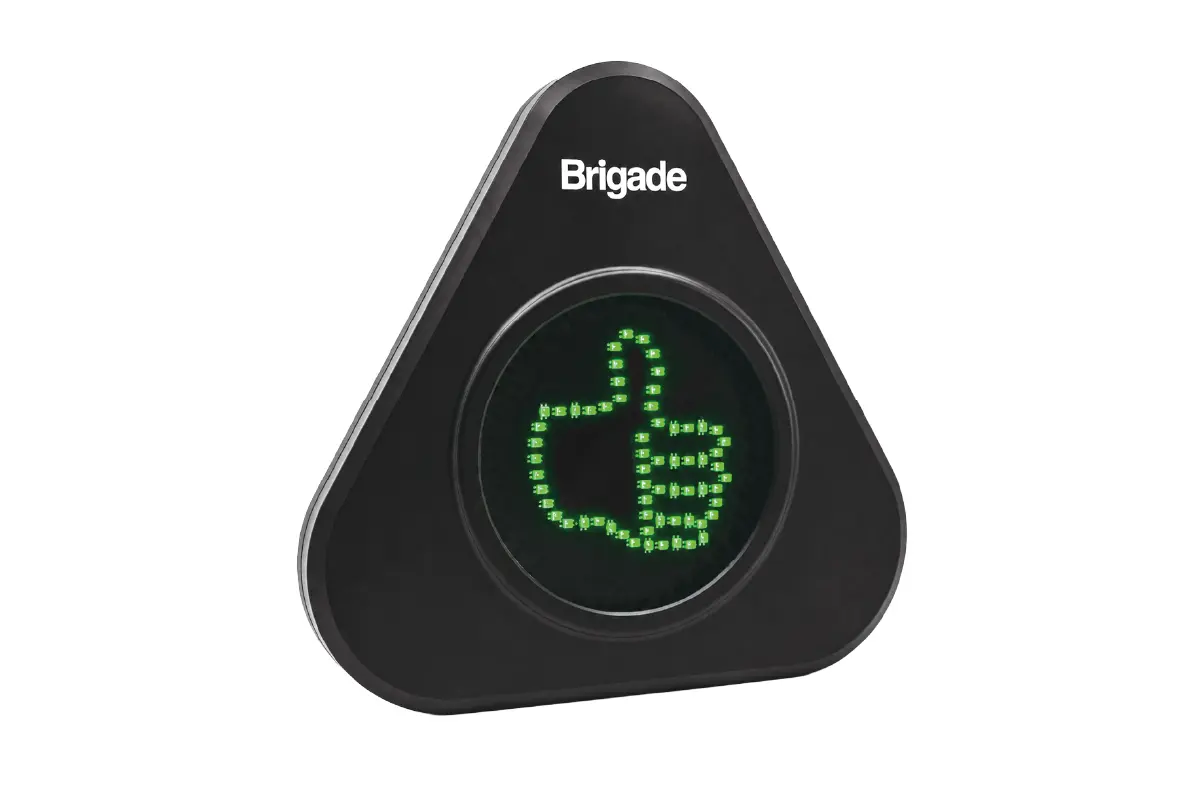
Thumbs-Up Display
TU-001
Part Number: 8454
Contents
- 1 x TU-001D – Thumbs-Up Display
- 1 x TU-001-ECU – Thumbs-Up Control Unit
- 1 x VBV-H405 – 5m extension cable
Approved Standards
- RoHS2 Direction – 2011/65/EU
- REACH Directive – EC 1907/2006
- CE Marked
- WEEE Directive – 2012/19/EU
FCC CFR 47 Part 15 Subpart B
IC ICES-003 Issue 6
ISO 16750/ISO 16750-4:2010
Environmental Specifications
- Operating Temperature:
-30ºC – 70ºC - Display: IP69K
- WEEE
- Mechanical Vibration: 6G
- Control Unit: IP67
Specification Overview
- Operating Voltage Range: 9Vdc-36Vdc
- Current Consumption 0.275@12V
- Weight of installed product:
Thumbs-up Display 838g
Control unit 133g - Display Dimensions (WxHxD):
227 x 220 x 30mm - Brightness:
3632d/m2 when red
5202cd/m2 when green - Trigger Input Functions: Display change is switched by control unit push button or power cycle (Default Red)
- Display Active Area (HxV):
132 x 132mm
CE Marked
Conforms to EU legislation
FCC Approved
Meets US electromagnetic compatibility requirements
IC Approved
Meets Canadian electromagnetic compatibility requirements
RoHS
Compliant with restricting hazardous substances directive
CAD Download
Complete the form below to download a CAD file for this product.
"*" indicates required fields

External Thumbs-Up Display
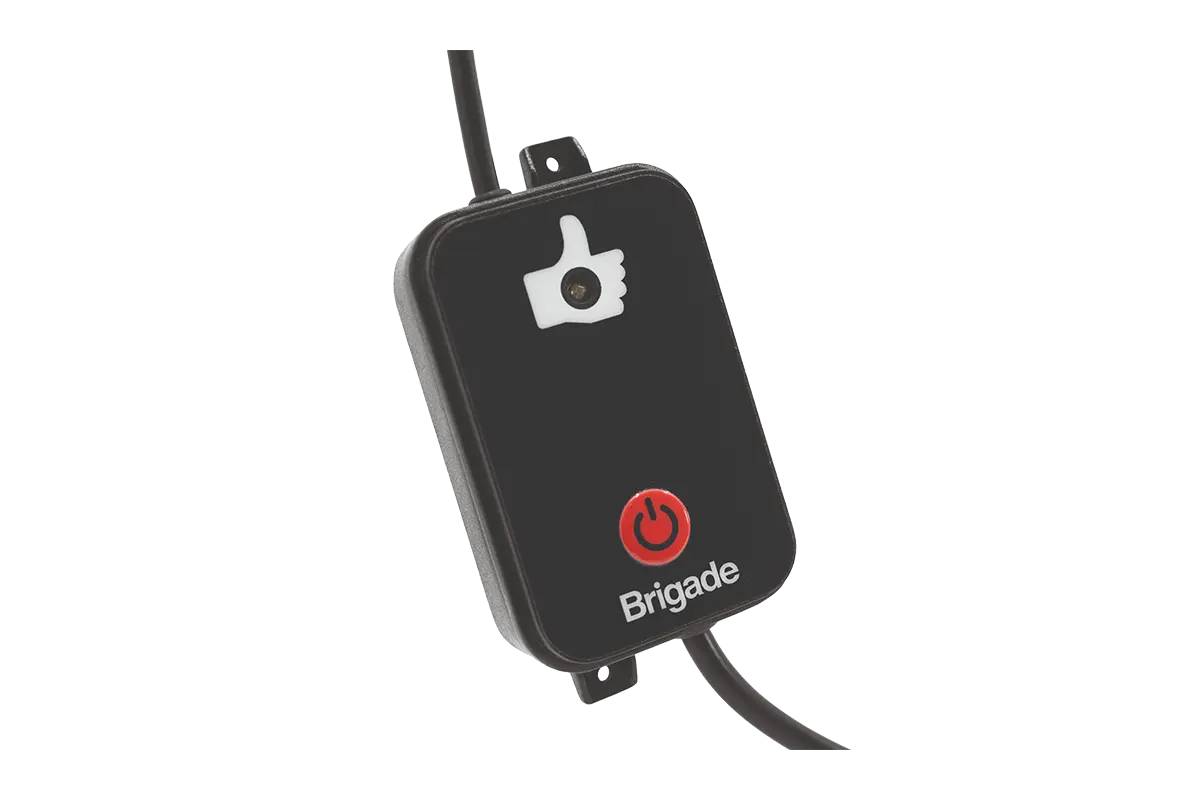

In-Cab Control Unit
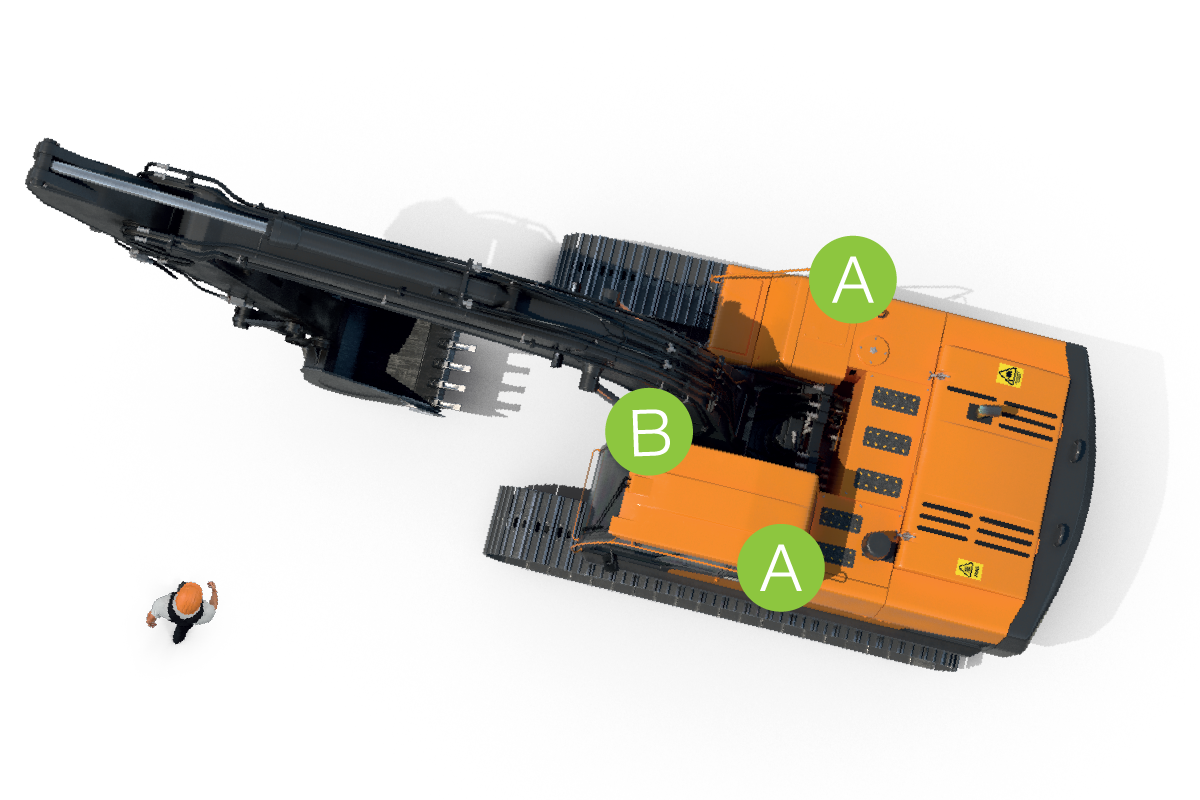
How the complete safe to approach kit works
Backeye®360 AI Human Form Recognition helps the operator identify people around the machine, while the Thumbs-Up Display provides a clear visual signal when it is safe to approach. The display is interlocked with the machine’s safety controls so it can only be activated when the vehicle is safely immobilised.
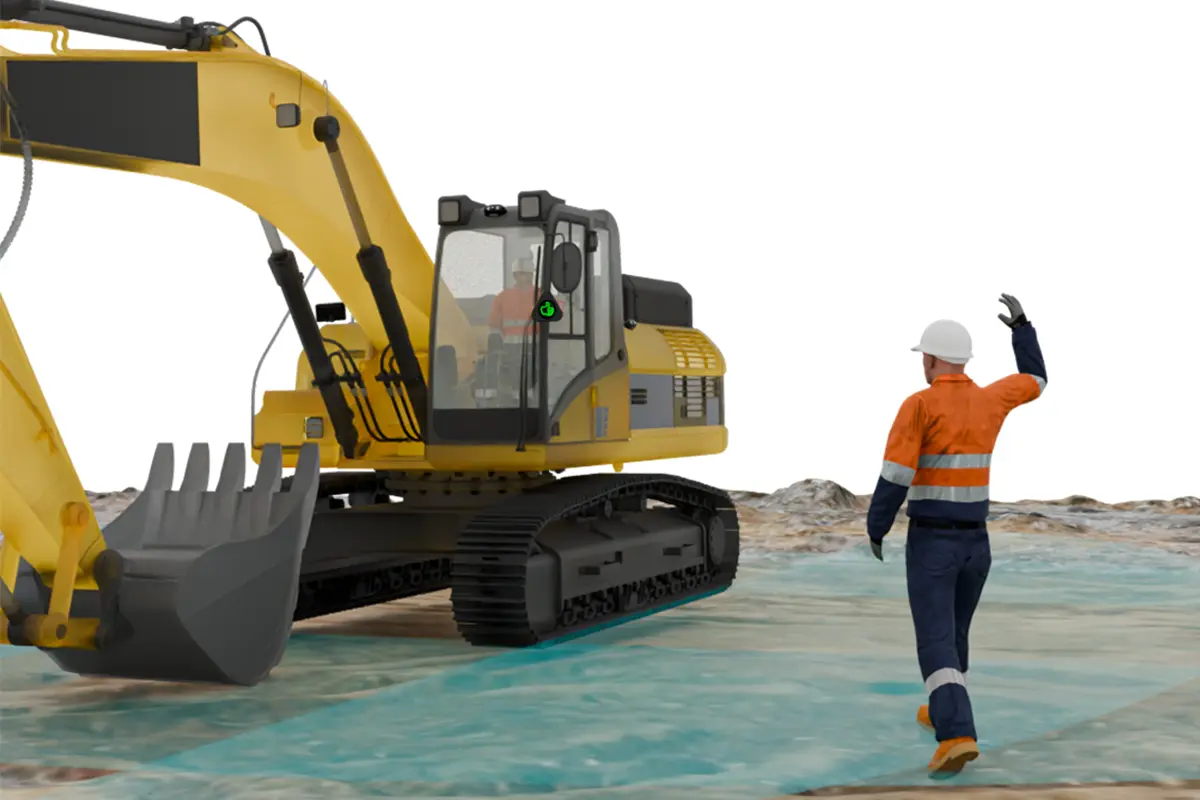
How the Thumbs-Up Display Works
Need Help Finding the Right Solution?
Speak to our safety experts to see how the Thumbs-up Display can protect your drivers and fleet.
Benefits
Complete Safe to Approach Kit

Clear Safe-to-Approach Communication
Provides ground personnel with a clear visual indication when it is safe to approach the vehicle.

Improved Operator Awareness
Backeye®360 AI Human Form Recognition helps operators identify people around the machine.

Safer System Activation
Interlocked with the machine’s safety controls to help prevent false or misleading signals.

Complete Safety Support
MDR recording and external alarms add recorded evidence and audible warnings to support safer site operations.
Benefits
Thumbs-up Display
Clear Safe-to-Approach Communication
A bright highly visible thumbs-up indication gives ground personnel a simple visual confirmation that it is safe to approach the vehicle.

Helps Prevent Miscommunication
The system can be interlocked with the vehicle handbrake or dead-man control, helping prevent an incorrect safe-to-approach signal from being displayed.
Simple System Integration
Designed to work as part of a wider Brigade safety solution, the Thumbs-Up Display is compatible with Brigade HFR systems, video recorders and alarms.

Built for Demanding Environments
The high-intensity display features an anti-glare design and IP69K protection, helping maintain clear visibility and reliable operation in harsh worksite conditions.
Product Resources
Thumbs-up Display
Product Data
Backeye®360 AI Product Resources
To view product resources for Backeye®360 AI, click here.
Frequently Asked Questions
What is the Safe to Approach Kit?
How does the Thumbs-Up Display work?
What does Backeye®360 AI add to the system?
Why is the display interlocked with the vehicle’s safety controls?
What is the MDR used for?
What are the external alarms used for?
Frequently Asked Questions
What is the Brigade Thumbs-Up Display?
How does the Thumbs-Up Display work?
What do the red and green symbols mean?
Can the Thumbs-Up Display be activated while the vehicle is moving?
Where can the Thumbs-Up Display be used?
Is the Thumbs-Up Display suitable for harsh environments?
Keep safety in motion
Partner with the global leader in commercial vehicle safety to find the right solution for your operation.